Plan Around Booked Entry Times and a Realistic Daily Pace
Build a flexible day around the reservations you already have, with time for journeys, meals and queues.
Applies to: Web & Android
Inside the Itinee web planner
Leave time between the highlights
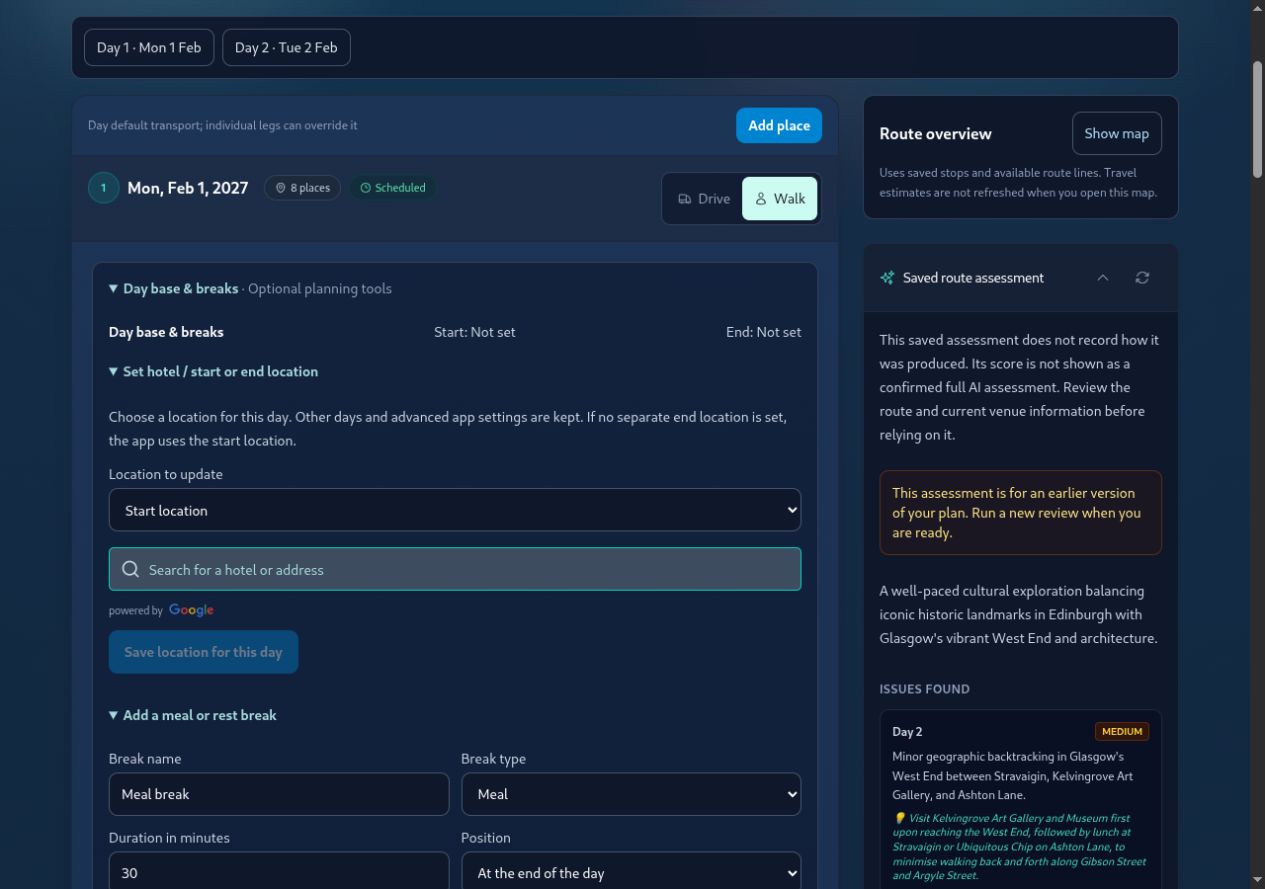
Use a base and a break to shape the day, then review your booked entry times separately.
1. Start with the Booking Confirmation
Check the venue, travel date, local entry time, entrance instructions and any required early arrival. Put the important details alongside the relevant stop and retain the original ticket. Saving an entry time in the ticket vault does not reserve admission or automatically lock the timeline to that slot.
2. Work Backwards from the Fixed Visit
Suppose your museum booking is at 11:00. As an illustrative example, a 20-minute journey and a 15-minute entrance buffer mean leaving the previous activity by 10:25. Use current provider information for the journey and the venue’s own advice for the buffer; these example numbers are not route estimates.
- Enter the planned arrival and stay duration for each relevant stop.
- Compare the available travel estimate with the time between visits.
- Shorten an optional visit, start earlier or remove a stop if the booking no longer fits.
3. Give Lunch and Rest Their Own Time
On the website, expand Day base & breaks and choose Add a meal or rest break. In the app, use the break controls and choose a suitable preset or custom duration. Non-location breaks advance the schedule without calculating the journeys immediately around them. If lunch requires a journey to a particular restaurant, add the restaurant as a place and review that connection.
4. Recheck After Every Important Change
Changing the start time, stay duration, stop order or travel mode can change later suggested arrivals. Compare the revised plan with your original reservations. A saved ticket slot is reference information, not an automatic booking-conflict check. Review any manually entered arrival times as well.
5. Carry the Plan You Intend to Follow
Check that your edits saved, refresh the app while online and review the destination dates and time zone. Reprint or update calendar copies when necessary. Time to Move reminders follow planned stay-end times; they do not track queues, guarantee entry or reschedule a reservation for you.
Keep one or two optional stops that you can shorten or skip. This gives you flexibility without moving an essential booking.
Key Takeaways
- Your original reservation determines the booked entry requirements.
- Ticket slot times and suggested timeline arrivals are separate.
- Allow travel and entrance buffers before fixed visits.
- Use breaks for downtime and real place stops for location-based journeys.
- Recheck reservations after changing the itinerary.
Bridgerton's Bath: 1-Day Regency & Royal Crescent Trail
Ready to travel? Open this trip in Itinee to review its map and suggested visit times.
Plan your next trip with Itinee
Use travel estimates, AI-assisted route reviews and Google Wallet passes alongside your plans.